Set Up MetaMask for ZIGChain
TL;DR: Add ZIGChain to MetaMask as a custom network with the mainnet or testnet details in the table below, and the currency symbol ZIG. The
0xaddress in MetaMask and itszig1address are the same account and share one balance.
Overview
To add ZIGChain to MetaMask, you enter the ZIGChain network details in the MetaMask custom network form. MetaMask then connects to the ZIGChain Ethereum Virtual Machine (EVM), shows your ZIG balance and sends ZIG between 0x addresses. Before you start, install MetaMask and create or import a MetaMask account. The values on this page work once the EVM is enabled on that network with the v6 upgrade.
ZIGChain Network Details for MetaMask
Enter these values when you add ZIGChain as a custom network in MetaMask.
- Mainnet
- Testnet
| Field | Value |
|---|---|
| Network name | ZIGChain |
| RPC URL | https://public-zigchain-evm-rpc.numia.xyz |
| Chain ID | 944 |
| Currency symbol | ZIG |
| Block explorer URL | https://zigscan.org |
| Field | Value |
|---|---|
| Network name | ZIGChain Testnet |
| RPC URL | https://public-zigchain-testnet-evm-rpc.numia.xyz |
| Chain ID | 2061 |
| Currency symbol | ZIG |
| Block explorer URL | https://testnet.zigscan.org |
ZIGScan shows ZIGChain EVM transactions. Range does not show ZIGChain EVM yet. ZIG uses 18 decimals on the ZIGChain EVM.
Both ZIGChain EVM chain IDs are registered in the public ethereum-lists chain registry, which wallets and apps use to look up chain details.
Steps to Add ZIGChain to MetaMask
Step 1: Open the Network List
- Open MetaMask.
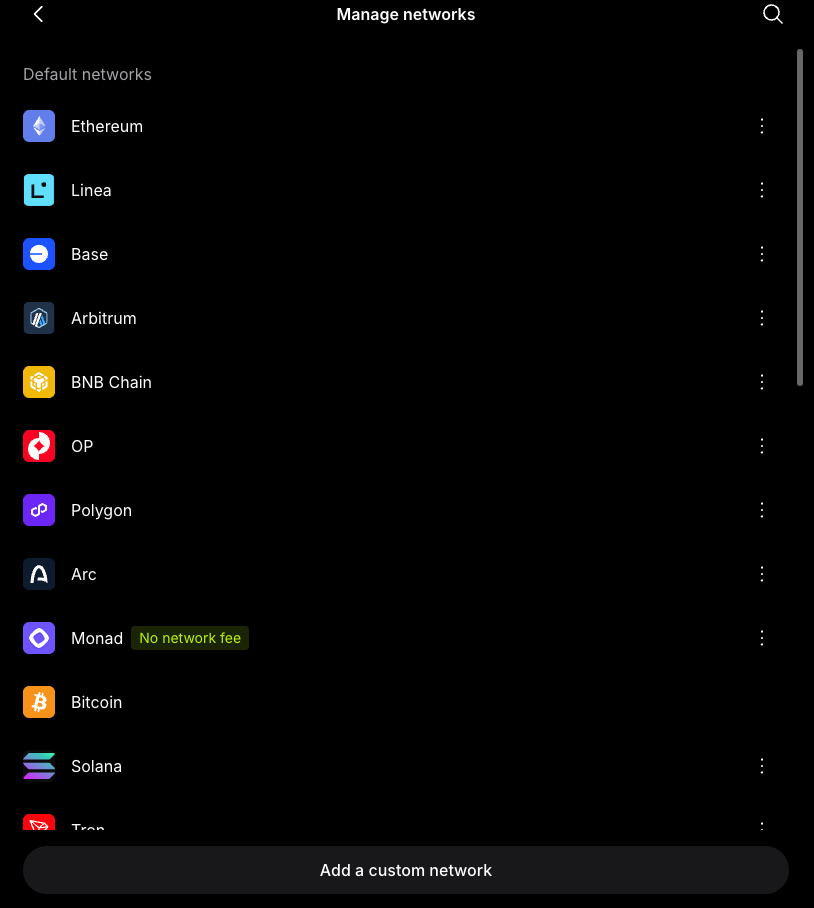
- Open the menu (≡) at the top right and select Networks. MetaMask opens Manage networks.
Step 2: Open the Custom Network Form
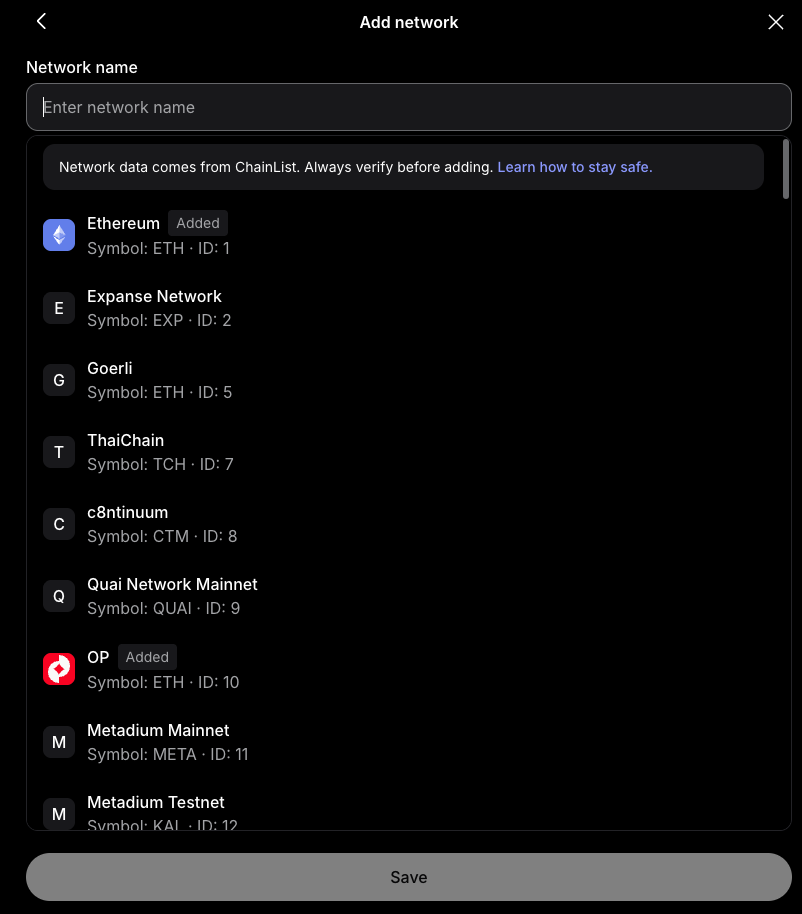
- On Manage networks, select Add a custom network. MetaMask opens the Add network form.
Step 3: Enter the ZIGChain Network Details
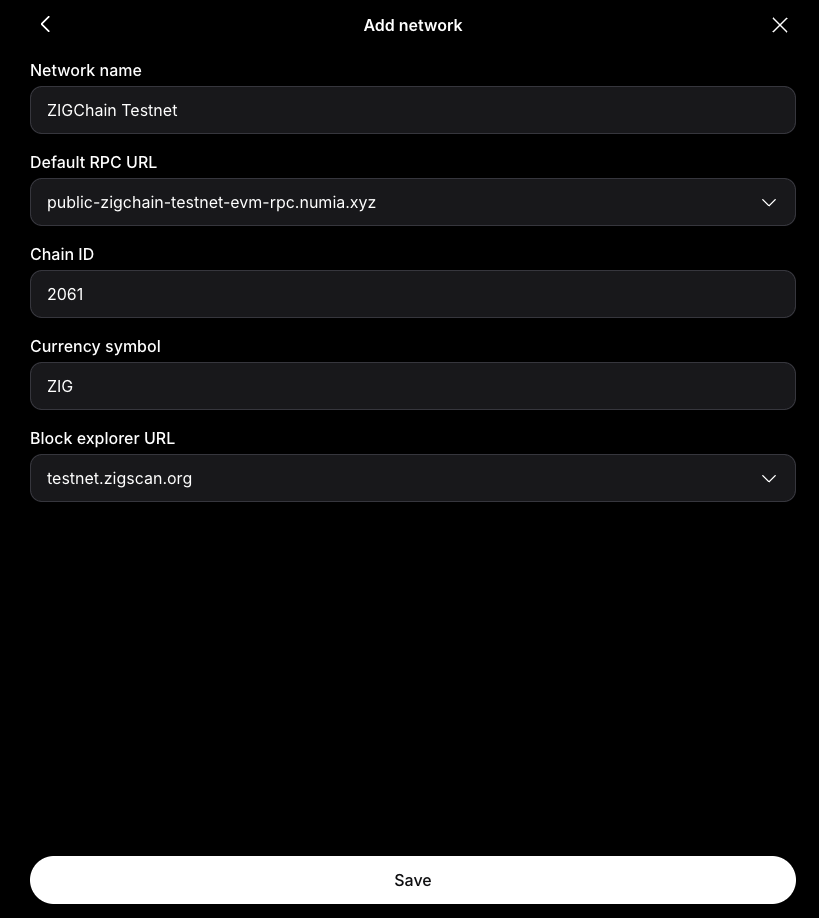
The custom network form takes the values from ZIGChain Network Details for MetaMask for the network you want.
- Enter the Network name, Default RPC URL, Chain ID, Currency symbol and Block explorer URL for mainnet or testnet. When you type ZIG in Network name, MetaMask suggests ZIGChain Testnet from ChainList and fills in the testnet values. The ChainList entry for mainnet has no RPC URL, so enter the mainnet RPC URL from the table.
- Check that the chain ID matches the table for the network you chose.
- Select Save.
Step 4: Switch to ZIGChain
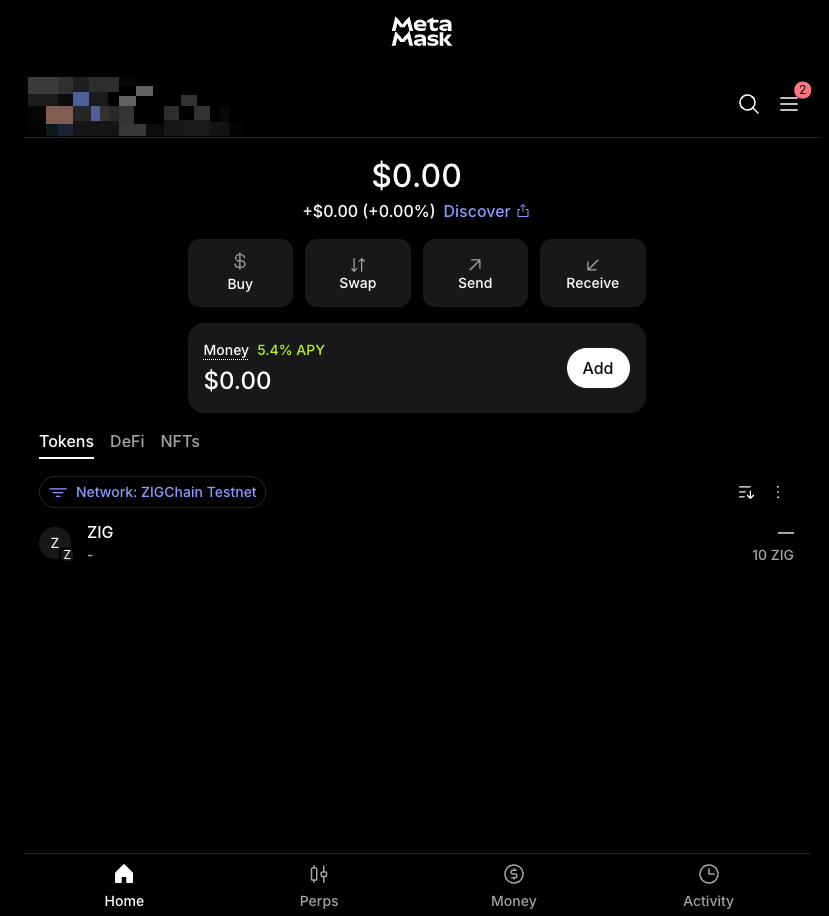
After you add ZIGChain to MetaMask, switch MetaMask to the ZIGChain network to see your ZIG balance.
- On the Tokens tab of the MetaMask home screen, select the Network filter and choose the ZIGChain network you added in Step 3.
- Check that MetaMask shows your balance in ZIG.
On ZIGChain Testnet, get test ZIG from the testnet faucet described in Set Up a ZIGChain Wallet. The faucet accepts both 0x and zig1 addresses, so you can paste your MetaMask address directly.
How MetaMask Addresses Relate to ZIGChain Addresses
A MetaMask account on ZIGChain has two address formats. Both formats encode the same account, so they share one balance, and ZIG Tokens sent to either address arrive in the same MetaMask account.
0xaddress: The address that MetaMask shows. MetaMask can send ZIG from one0xaddress to another.zig1address: The ZIGChain form of the same account.zigchaind debug addrconverts the0xaddress to it; see How to Move Funds Between the Two Accounts.
MetaMask derives accounts with coin type 60, the Ethereum path, so Keplr's ZIGChain EVM entry shows the same 0x account. Keplr's ZIGChain entry uses coin type 118, so it opens a different account with a different zig1 address. The two accounts do not share a balance.