Migrate USDC.n to USDC.inj
TL;DR: To migrate USDC.n to USDC.inj, open the ZIGChain Bridge on ZIGChain Hub, send USDC.n from ZIGChain, receive USDC.inj on ZIGChain, and approve the transaction in your wallet. The Swap tab in the Keplr extension and Skip:Go offer the same migration.
Overview
You can migrate USDC.n to USDC.inj on ZIGChain with ZIGChain Hub, the Keplr extension or Skip:Go. Noble USDC, previously shown as USDC, is now labeled USDC.n. Circle is discontinuing support for USDC and Cross-Chain Transfer Protocol (CCTP) V1 on Noble and fully pauses the Noble USDC contract and CCTP routes on January 12, 2027. Convert your balance before then to USDC.inj, which is the version of USDC that is supported going forward. ZIGChain does not provide a redemption portal for USDC.n left on ZIGChain after that date.
Both tokens are USDC, but they come from different chains, so Cosmos chains treat them as separate assets:
- USDC.n: USDC that originates from Noble.
- USDC.inj: USDC that originates from Injective.
Before you start, you need the wallet that holds your USDC.n on ZIGChain (for example Keplr) and a small amount of ZIG to pay the transaction fee. The migration starts and finishes on ZIGChain: the USDC.n leaves your ZIGChain address and USDC.inj arrives at your ZIGChain address.
Migrate USDC.n to USDC.inj With the ZIGChain Bridge
The ZIGChain Bridge on ZIGChain Hub routes the whole migration for you, and small amounts need only one approval in your wallet.
Step 1: Connect Your Wallet
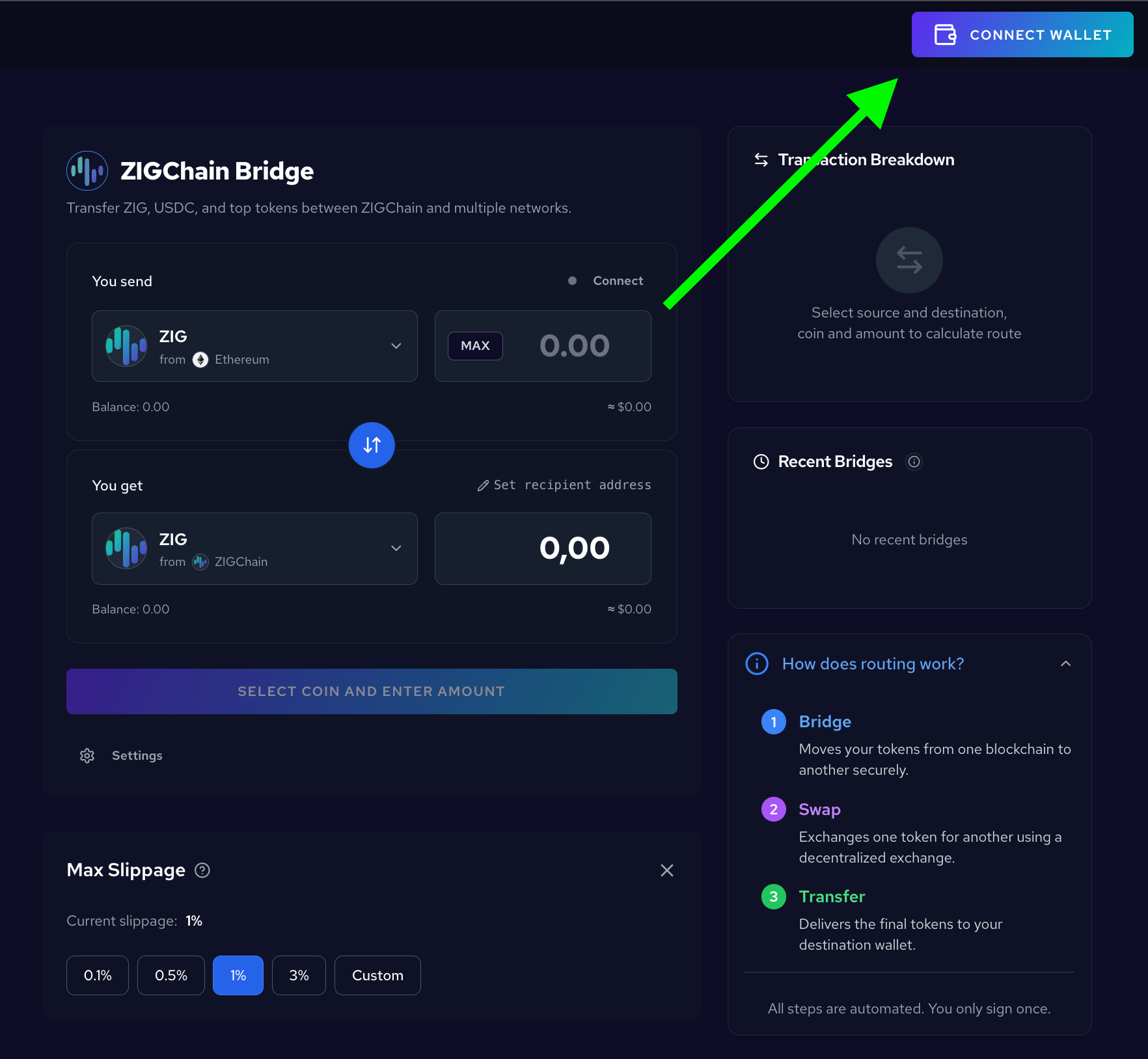
Open the ZIGChain Bridge on ZIGChain Hub and click CONNECT WALLET in the top right corner. Choose the wallet that holds your USDC.n, for example Keplr, and approve the connection.
Step 2: Select USDC.n From ZIGChain
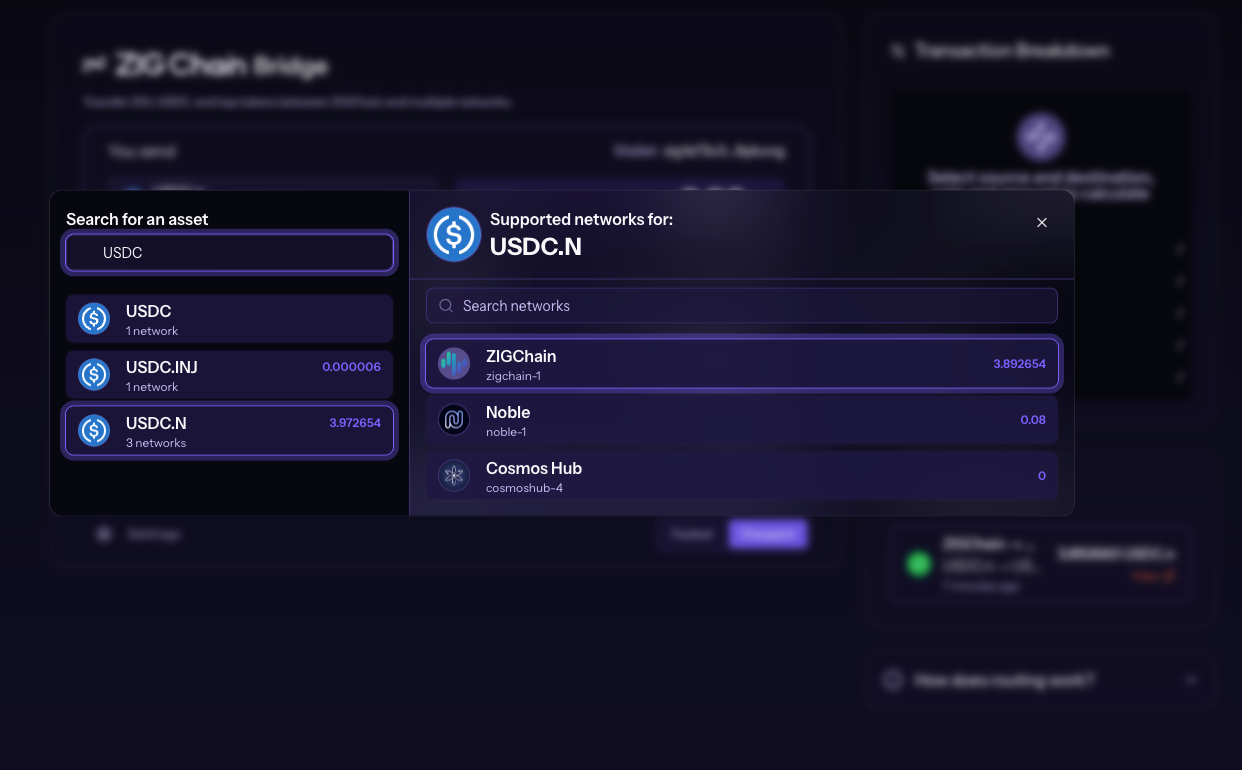
In the You send section, click the token dropdown and type USDC in Search for an asset. Select USDC.N, then select ZIGChain under Supported networks for: USDC.N. The list shows your balance on each network.
Step 3: Select USDC.inj on ZIGChain
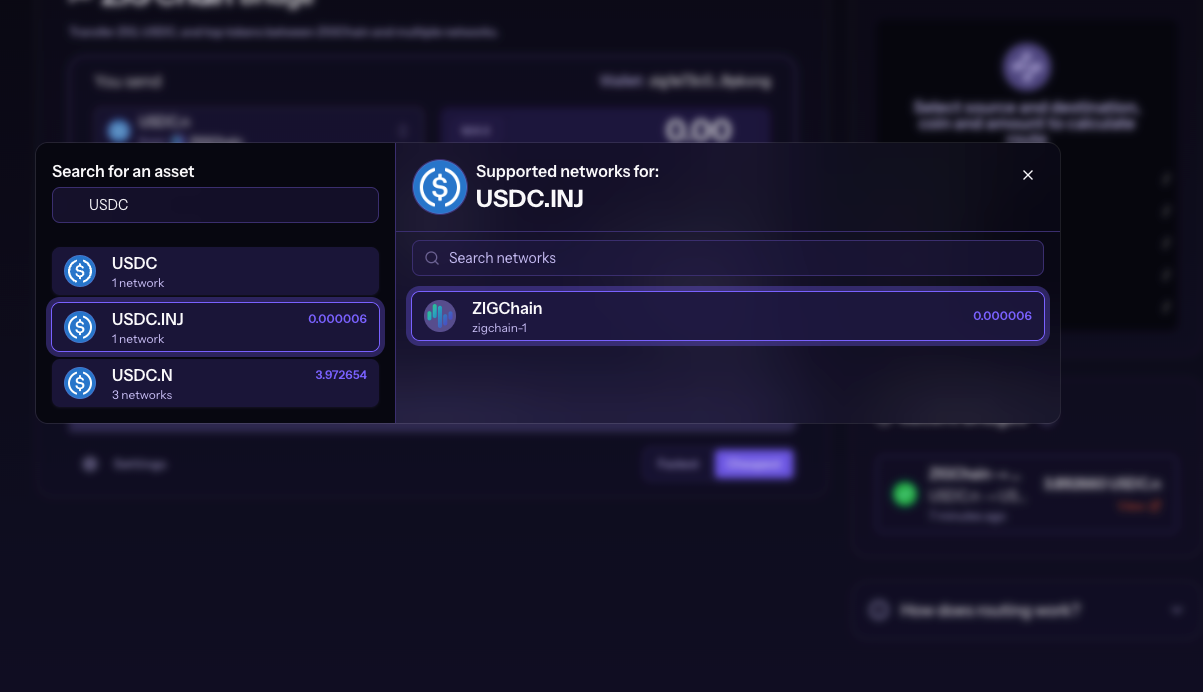
In the You get section, open the token dropdown, search for USDC and select USDC.INJ. Then select ZIGChain under Supported networks for: USDC.INJ.
Step 4: Enter the Amount and Review the Route
Enter the amount of USDC.n in You send, or click MAX to migrate your full balance. You get shows the estimated USDC.inj you will receive. Keep the Wallet in You get set to your own ZIGChain address unless you want the USDC.inj to go to another address.
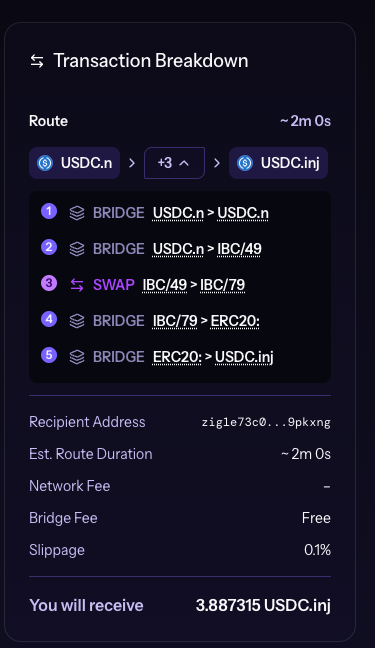
Check the Transaction Breakdown on the right before you continue. The breakdown lists the Route, Recipient Address, Est. Route Duration, Network Fee, Bridge Fee, Slippage and You will receive. Use Fastest or Cheapest under the form to choose the route preference.
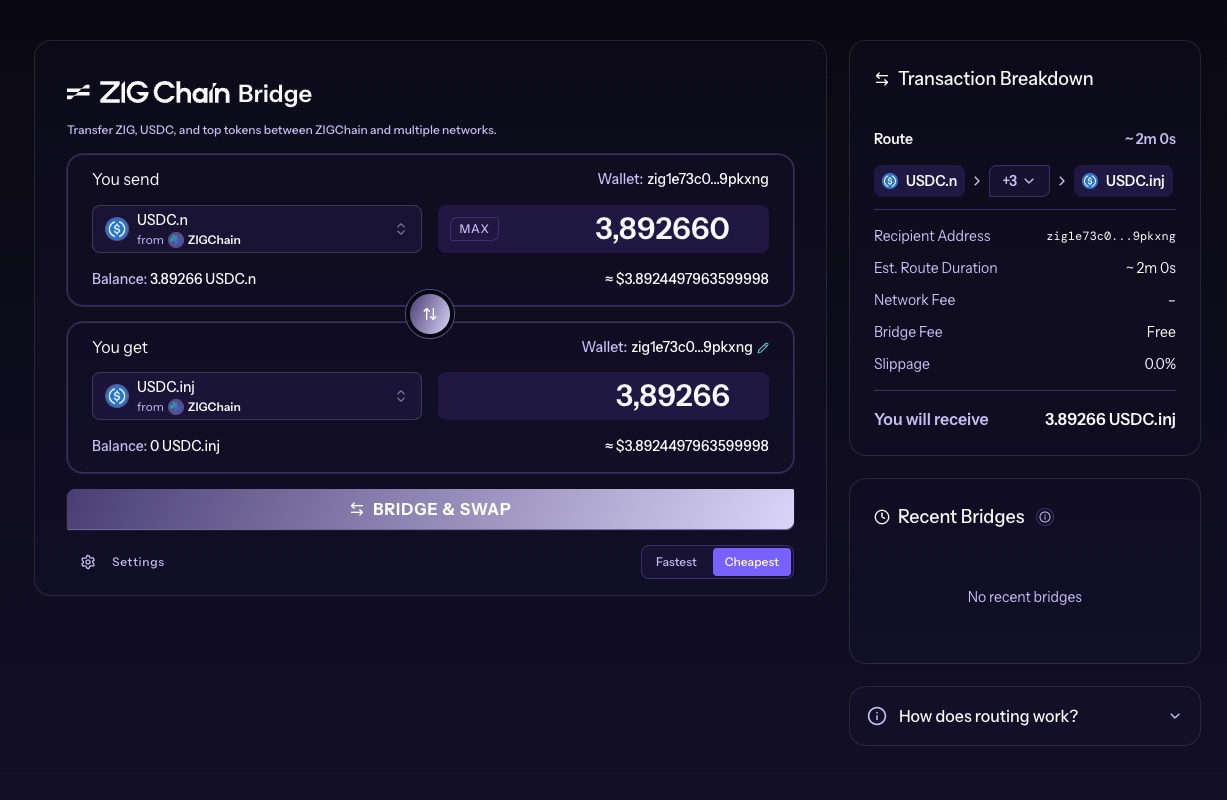
Click the + button in the Route row (+3 in this example) to see every step of the migration. In this example, the route bridges USDC.n to Noble, bridges it on to another chain, swaps it there, and bridges the result back in two steps until it arrives as USDC.inj on ZIGChain. All steps run automatically after you sign.
Step 5: Click BRIDGE & SWAP
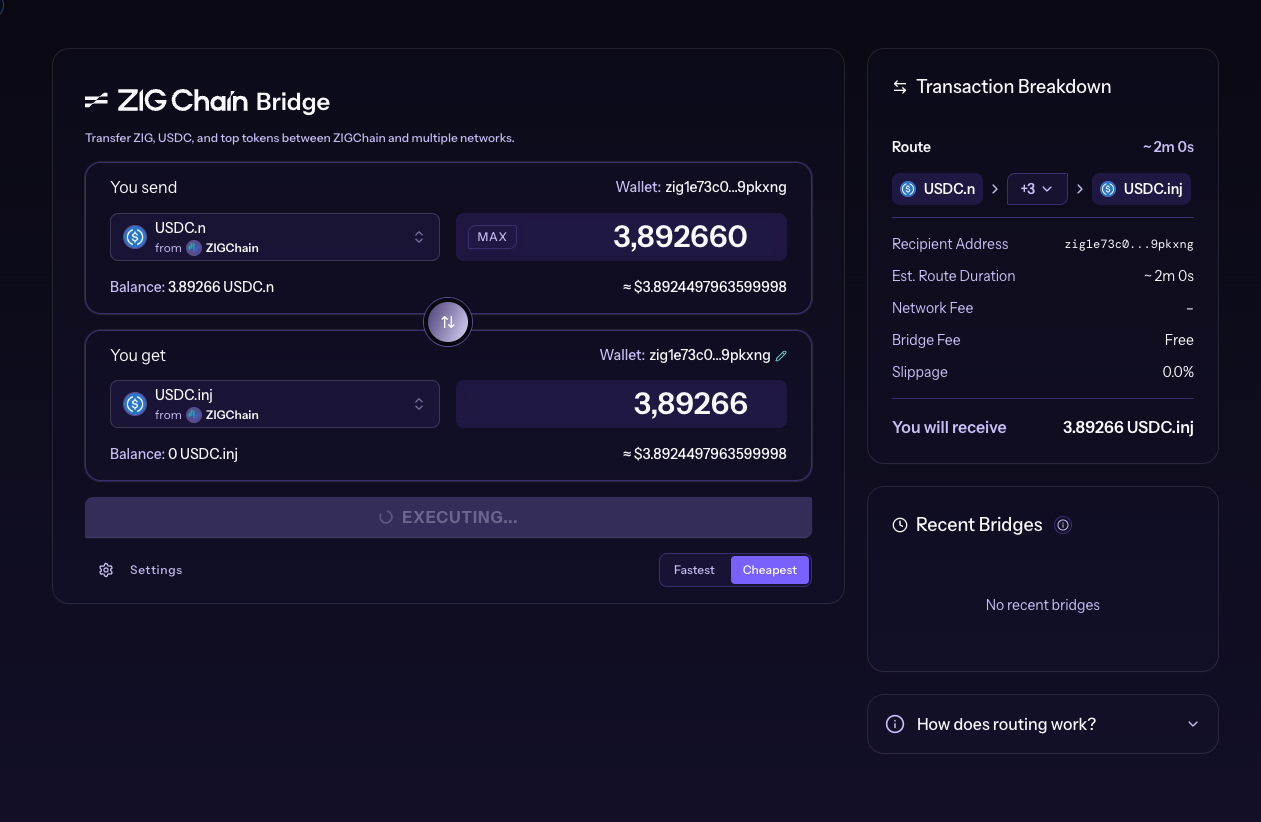
When the details look correct, click BRIDGE & SWAP. The button changes to EXECUTING... and your wallet opens a confirmation window.
Step 6: Approve the Transaction in Keplr
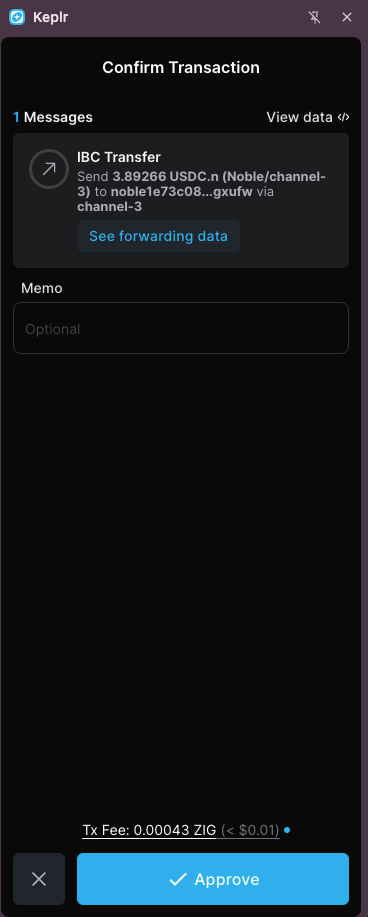
Keplr opens a Confirm Transaction window with one IBC Transfer message. The message sends your USDC.n to a noble1… address over IBC, because USDC.n originates on Noble and the route returns it there first. The window also shows a See forwarding data link. Check the Tx Fee, which is paid in ZIG, and click Approve.
For larger amounts, the ZIGChain Bridge asks for a second approval in your wallet while the migration runs. Approve the second transaction when your wallet shows it so the USDC.inj arrives on ZIGChain.
Step 7: Track the Migration in Recent Bridges
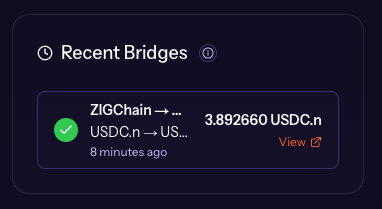
After you approve, the migration appears in Recent Bridges on the right, with the route, the amount of USDC.n and a View link for details. The form resets so you can start another transfer.
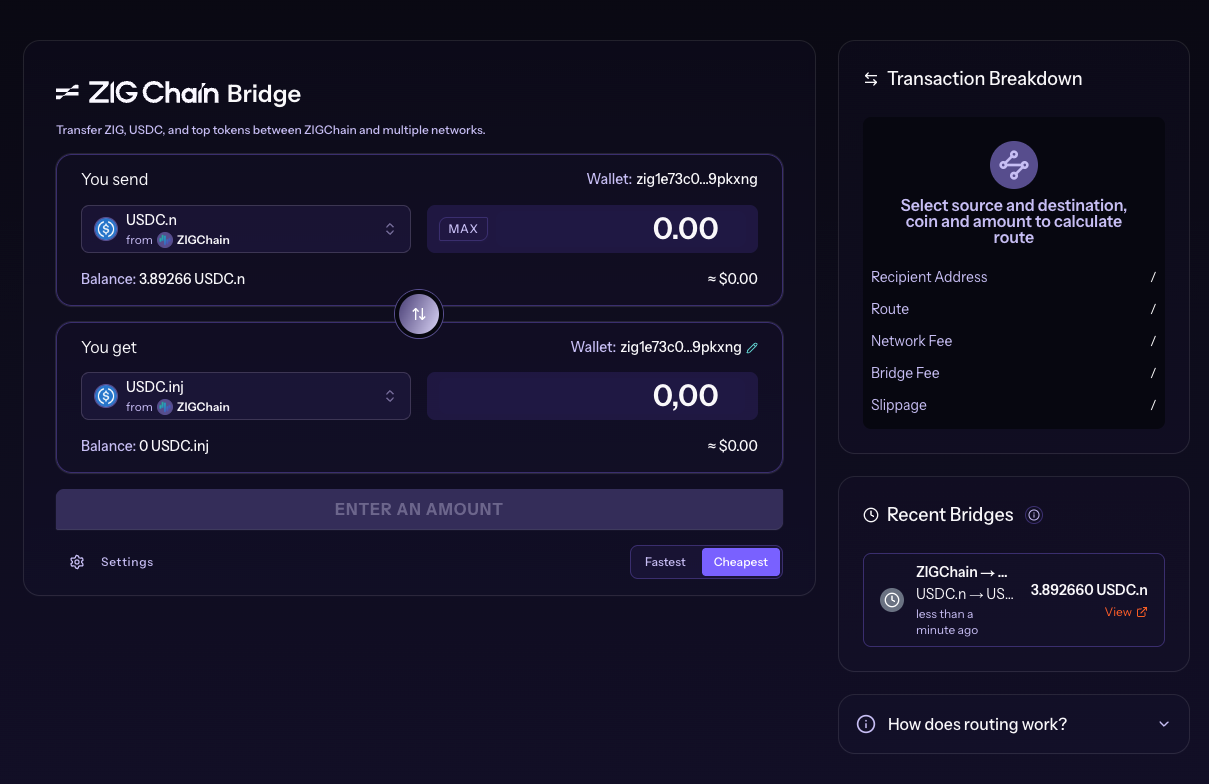
When the migration finishes, the entry in Recent Bridges shows a green checkmark, and your USDC.inj balance on ZIGChain now includes the migrated amount.
Migrate USDC.n With Keplr Swap
The Swap tab in the Keplr extension converts USDC.n to USDC.inj on ZIGChain without leaving the wallet. Keplr lists Skip as the Provider for this swap.
Step 1: Open Swap in Keplr
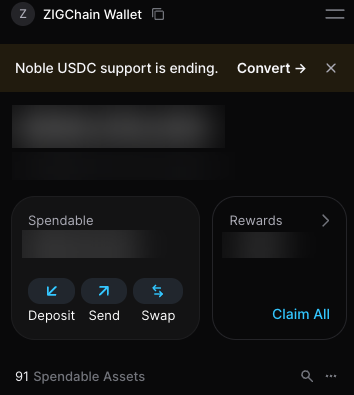
Open the Keplr extension, select the account that holds your USDC.n, and click Swap. Keplr also shows a Noble USDC support is ending. banner with a Convert link at the top of the wallet.
Step 2: Select USDC.n and USDC.inj on ZIGChain
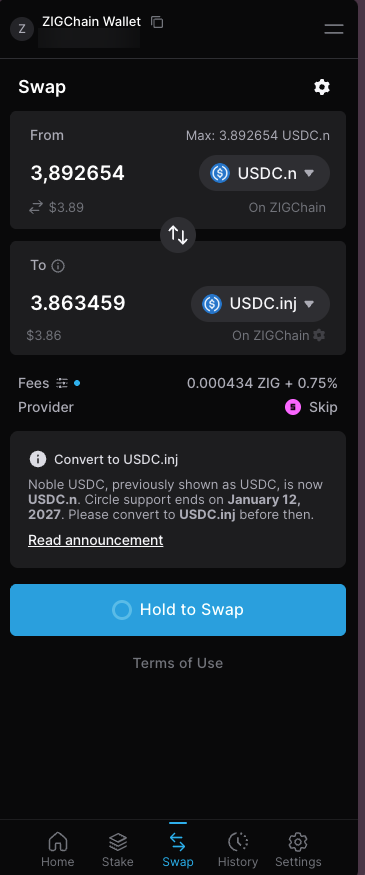
Set From to USDC.n On ZIGChain and To to USDC.inj On ZIGChain. Enter the amount of USDC.n or use the Max value, and To shows the estimated USDC.inj.
Check the Fees line before you continue. The fee is shown in ZIG plus a percentage of the amount.
Step 3: Start the Swap
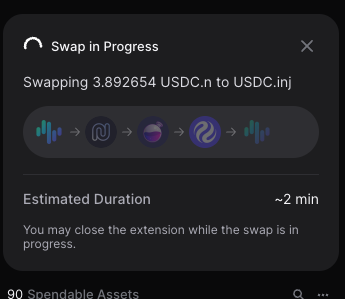
Press and hold Hold to Swap until Keplr starts the swap. A Swap in Progress panel shows the amount, the route through each chain and the Estimated Duration. You may close the extension while the swap is in progress.
Step 4: Check the Swap Result
When the migration finishes, Keplr shows Swap Successful with the amount of USDC.inj you received on ZIGChain.
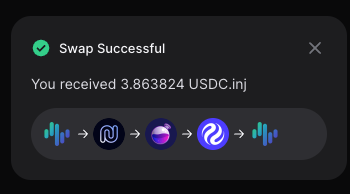
Migrate USDC.n With Skip:Go
Skip:Go offers another way to migrate USDC.n to USDC.inj. Use only the official Skip:Go site at go.skip.build, and never share your seed or recovery phrase.
Step 1: Select USDC.n on ZIGChain
Open Skip:Go and connect the wallet that holds your USDC.n. Open the token list on the sending side, search for USDC and select USDC.n, which Skip:Go marks as Is Being Deprecated.
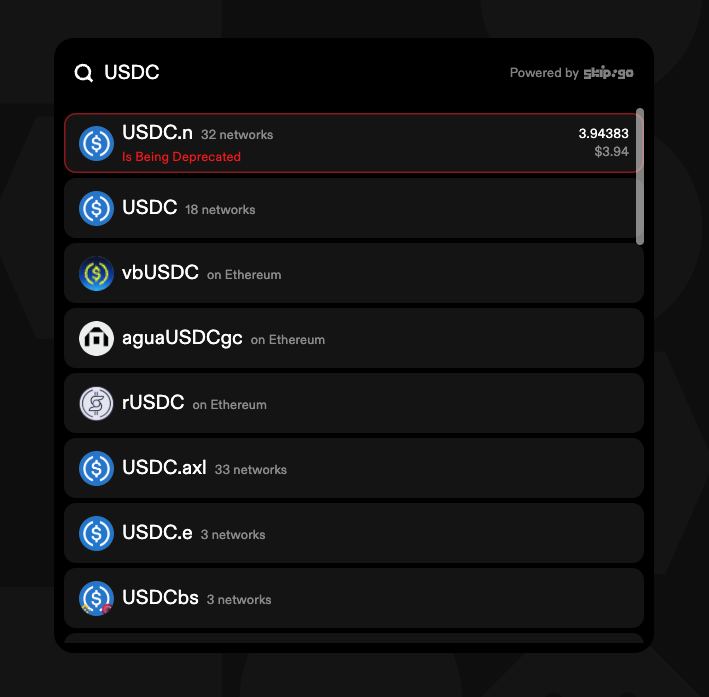
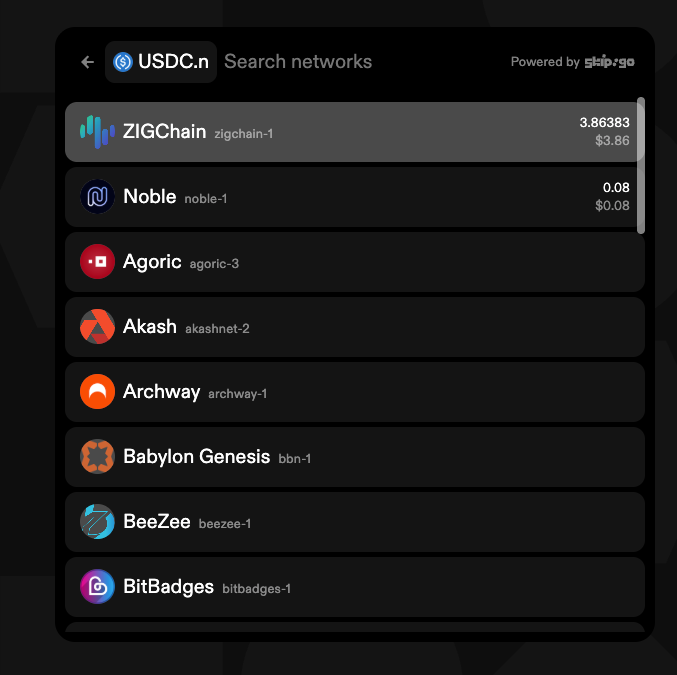
Select ZIGChain in the network list for USDC.n. The list shows your USDC.n balance on each network.
Step 2: Select USDC.inj on ZIGChain
Open the token list on the receiving side, select USDC.inj and find ZIGChain with Search networks. The USDC.inj network list starts with Injective - EVM and Injective - Cosmos, so searching is faster than scrolling.
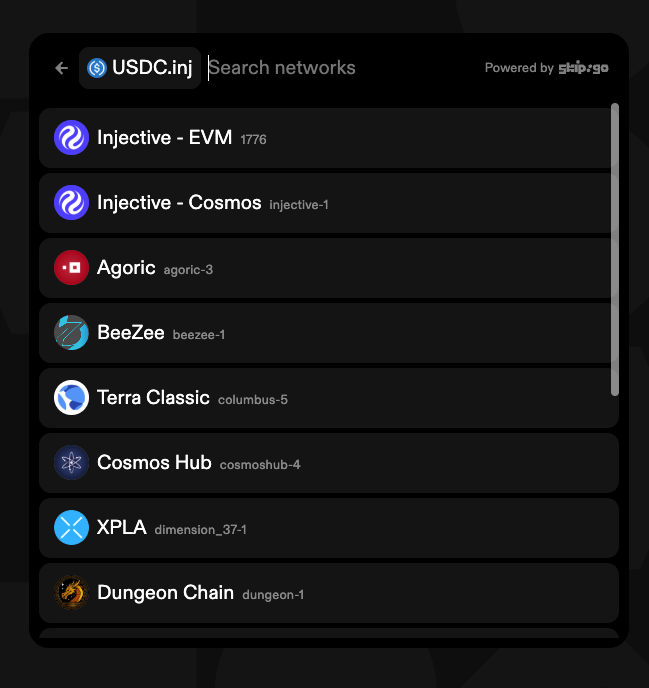
Step 3: Enter the Amount and Click Swap
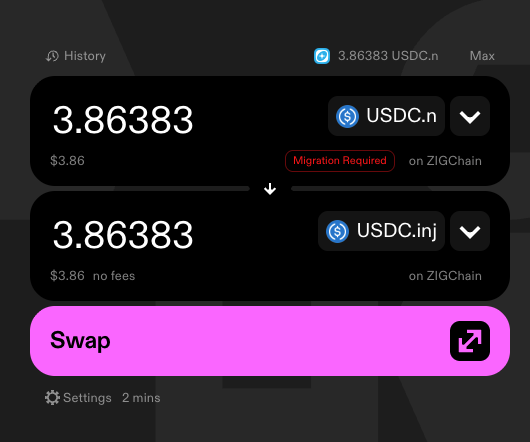
Enter the amount of USDC.n, or click Max to migrate your full balance. Skip:Go labels USDC.n with Migration Required, and both sides show on ZIGChain. Check the estimated USDC.inj and the time next to Settings, then click Swap.
Step 4: Approve the Transaction in Keplr
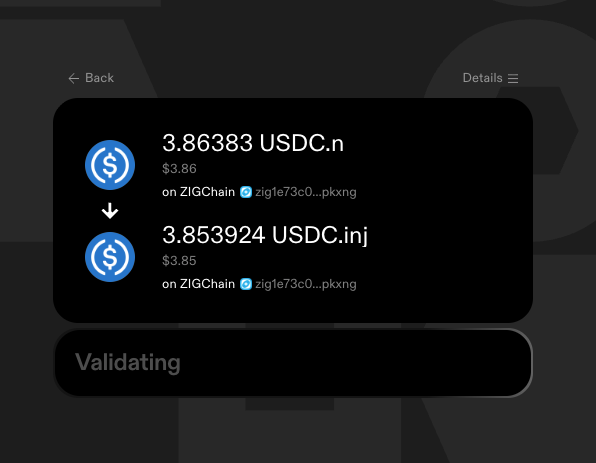
Skip:Go shows Validating while it checks the route, then Confirming in wallet.
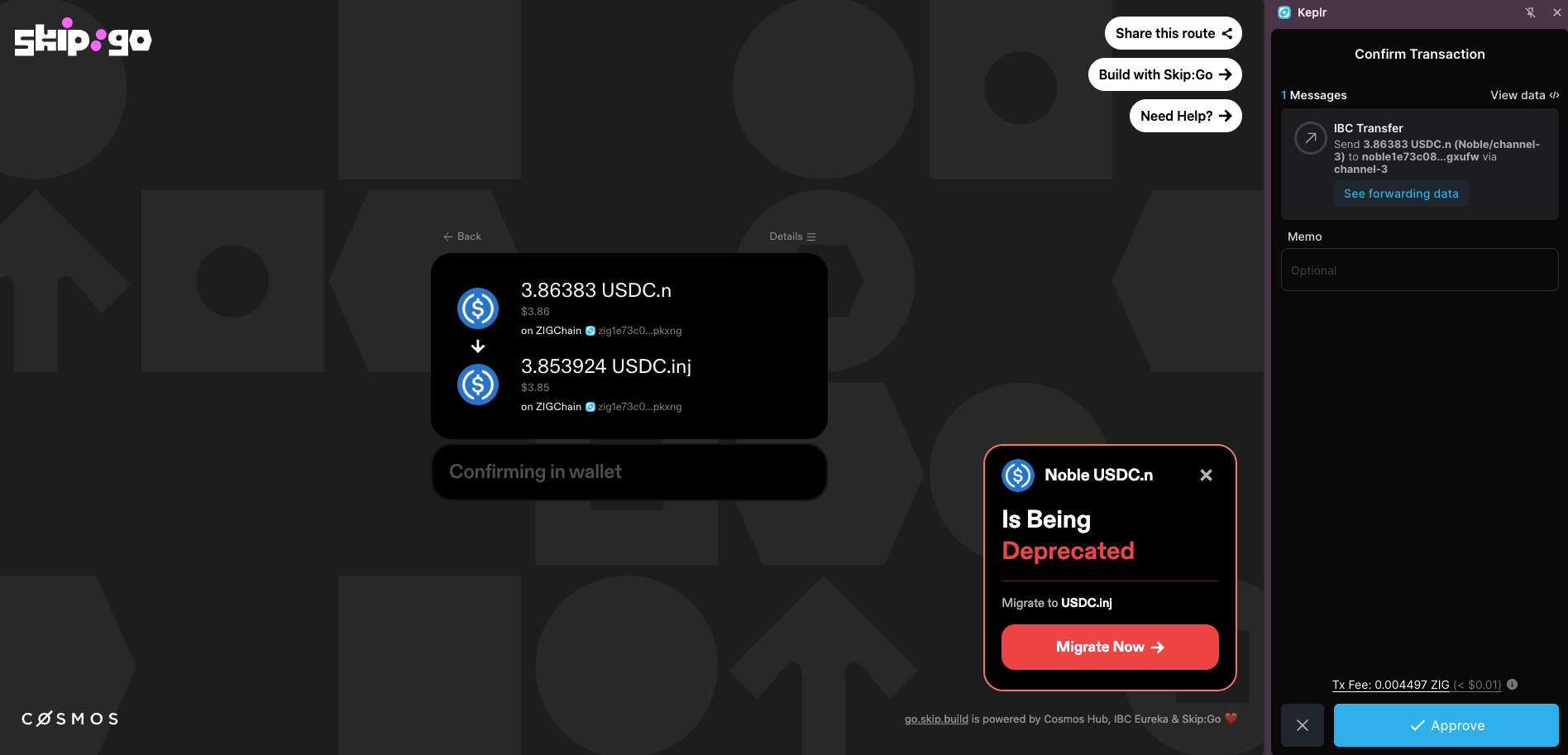
Keplr opens a Confirm Transaction window with one IBC Transfer message that sends your USDC.n to a noble1… address. Check the Tx Fee, which is paid in ZIG, and click Approve. Skip:Go may also show a Noble USDC.n Is Being Deprecated panel with a Migrate Now button at the same time.
Skip:Go can ask for a second signature. After the first approval, Skip:Go runs the intermediate steps, and the second signature request usually appears within about 3–5 minutes. Approve the second transaction when Skip:Go asks for it, because this transaction moves the USDC.inj from Injective back to ZIGChain. You do not need INJ in advance, because Skip:Go recharges the required amount of INJ for you if your INJ balance is too low.
Step 5: Track the Migration
The Track progress screen shows Processing with the estimated time while the migration runs.
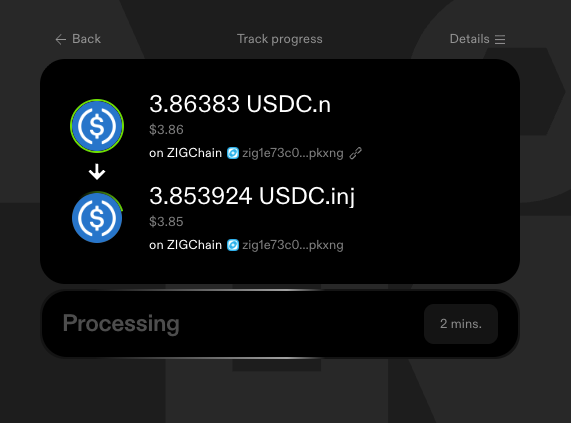
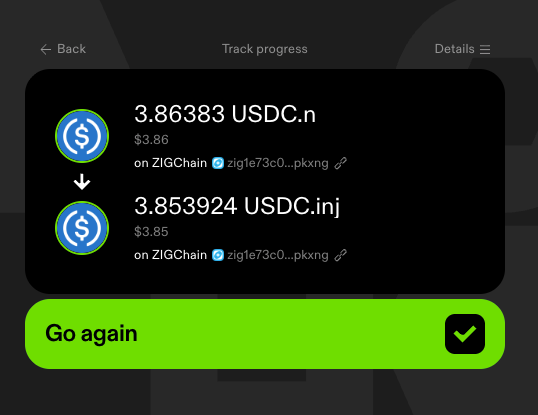
When the migration is complete, both tokens show a green ring and the button changes to Go again. Check that the USDC.inj arrived in your ZIGChain wallet.
Common Questions
When does Skip:Go use CCTP for the migration?
Skip:Go picks the route based on the transfer amount and the source and destination chains. When both chains are the same, as in a ZIGChain-to-ZIGChain migration, amounts above 250 USDC.n use Circle's CCTP as part of the route, which may pass through an EVM network such as Avalanche in the background. You do not need to fund or interact with that network, and no further conversion is needed after the migration.
What happens to USDC.n that is not migrated by January 12, 2027?
On the pause date (January 12, 2027), Circle takes a snapshot of the remaining USDC balances on Noble and opens a manual redemption portal, with the manual redemption process starting on January 13, 2027. The snapshot and the redemption portal cover USDC balances on Noble, and the details are in the Circle announcement.
ZIGChain does not provide a redemption portal for USDC.n that is still held on ZIGChain after January 12, 2027. Migrate your USDC.n to USDC.inj before that date.
What happens if I approve only the first Skip:Go signature?
Your funds are not lost. After the automated steps, your USDC.inj sits on Injective. To bring it to ZIGChain, transfer the USDC.inj from Injective to your ZIGChain address.